Project Overview
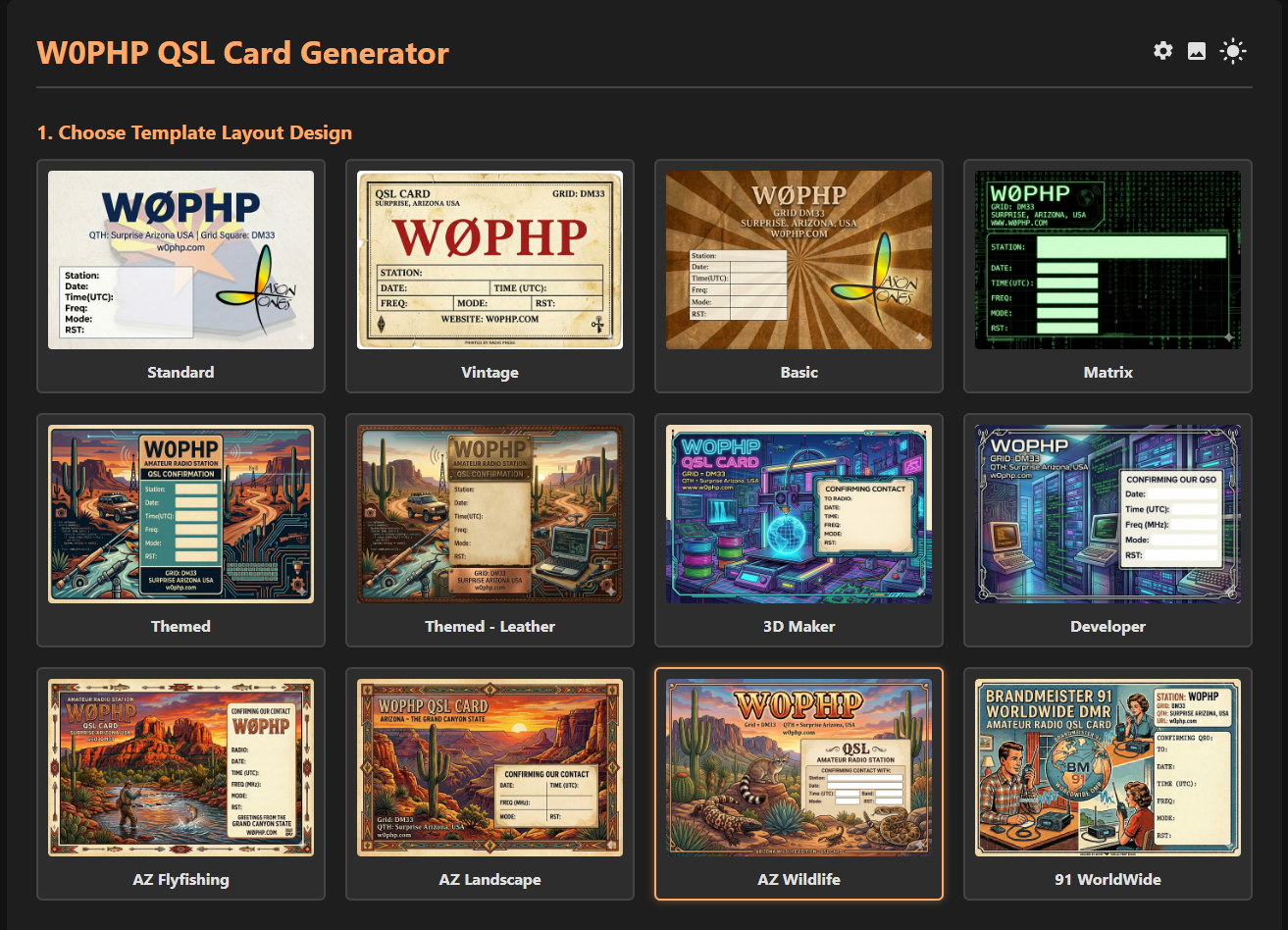
The W0PHP QSL Card Generator is a lightweight, self-hosted web application designed to streamline the way amateur radio operators log contacts and send digital QSL cards. Moving away from rigid, pre-defined templates, this platform empowers you to turn any image—whether it’s a personal photograph, custom graphic design, or AI-generated artwork—into a fully functional, personalized digital QSL card.
Built with modern web standards and running on a standard PHP environment, it bridges the gap between beautiful custom artwork and efficient QSO logging.
Why Use It?
Digital QSLing shouldn't mean sacrificing personalization. The W0PHP QSL Card Generator was built to remove the friction of formatting typography over custom images. By separating the artwork from the text generation, you can build a massive library of stunning, rotating QSL cards and send them out with zero graphic design effort per contact.
Platform Feature Set
Bring Your Own Artwork
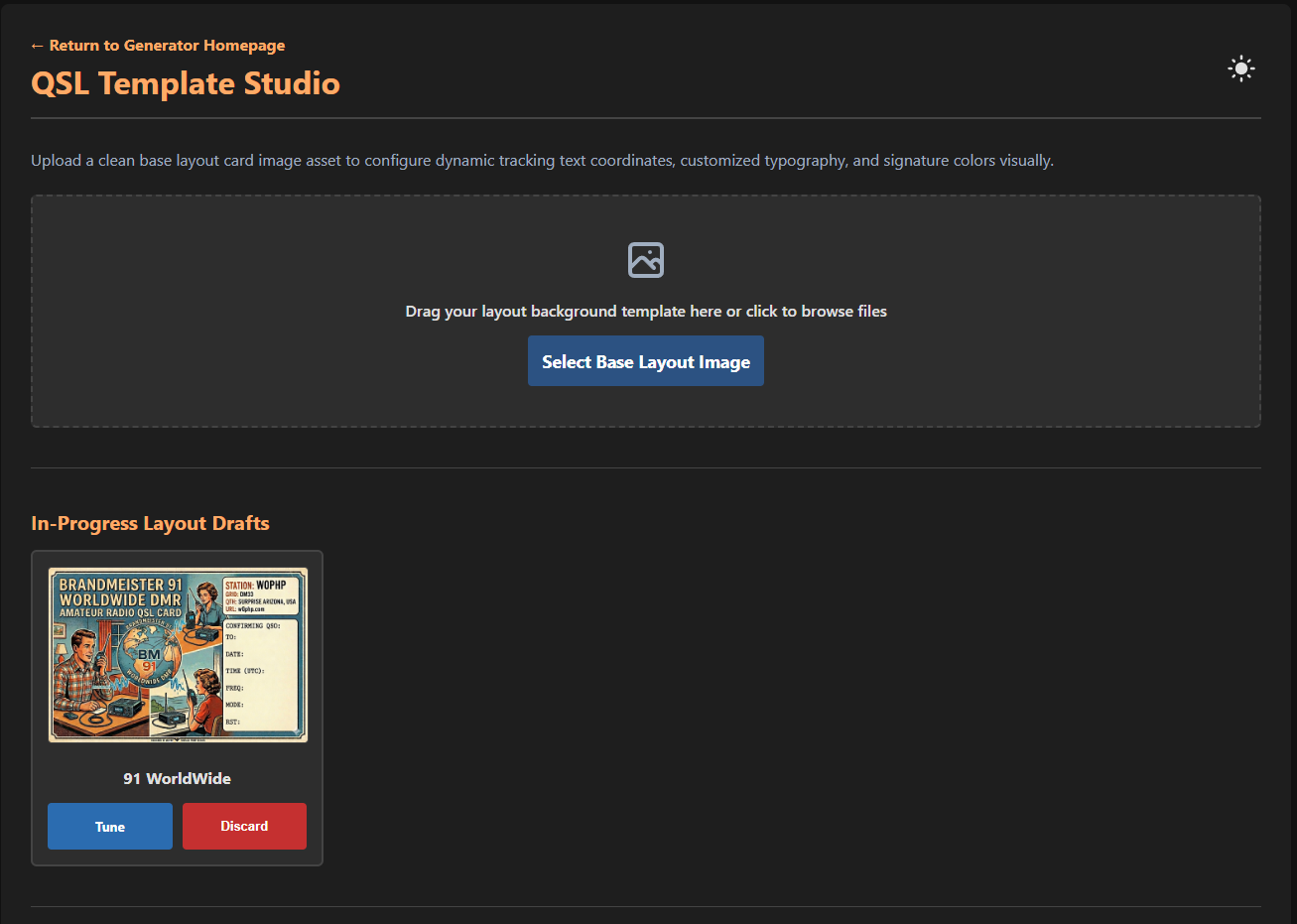
Upload any blank image card directly into the platform workspace. Whether you choose to generate complex backgrounds using local processing pipelines or opt to highlight dynamic nature photography from outdoor operations, the interface gives you direct asset agency.
Streamlined Admin Dashboard
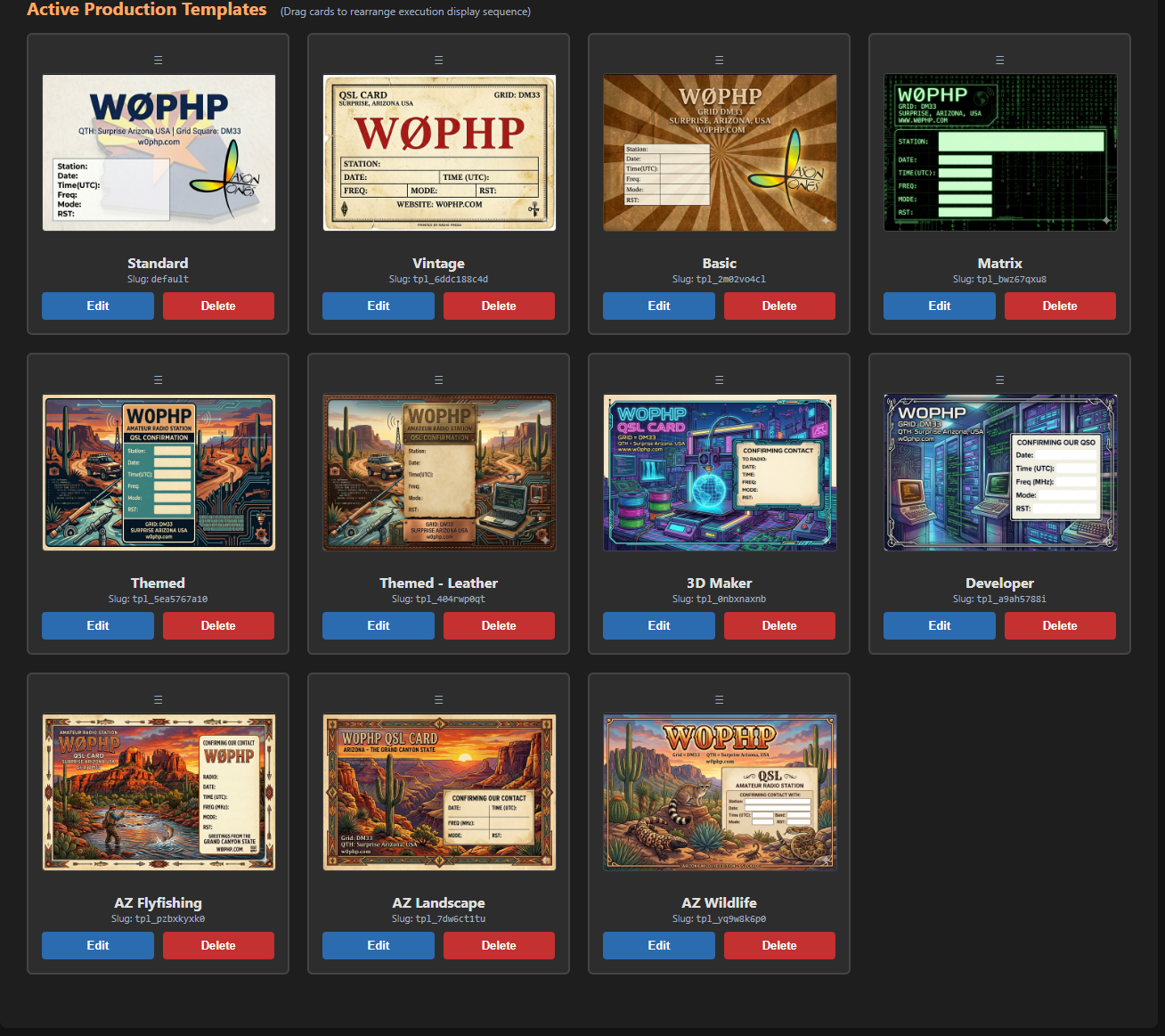
Control structural assets safely. The administration backend coordinates active drafts, dynamically processes file parameters on-the-fly, and presents active live options intuitively.
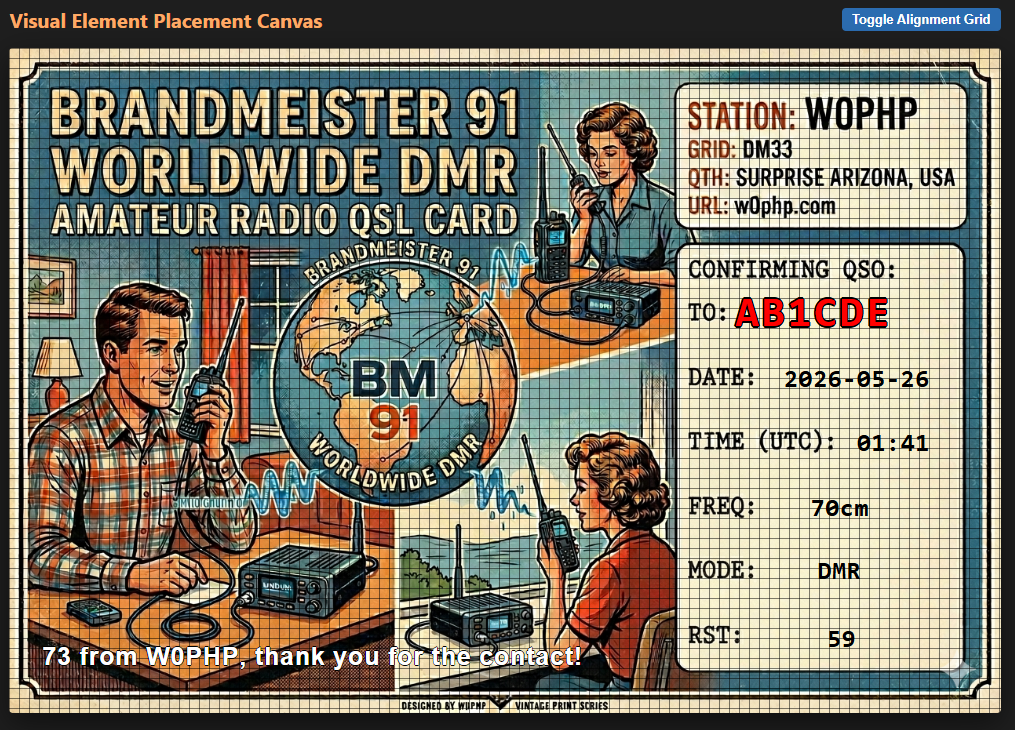
Visual Axis Mapping Studio
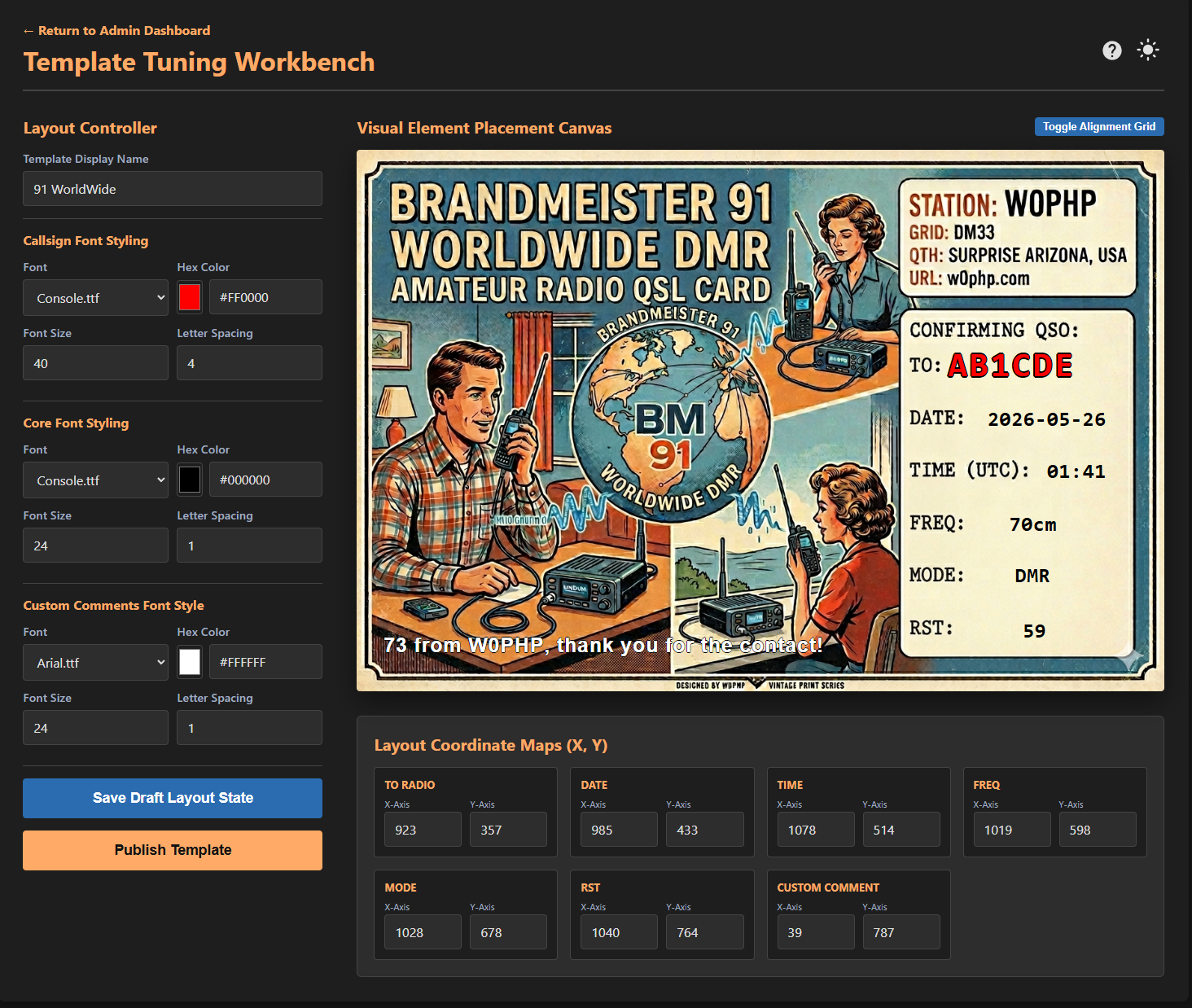
Eliminate complex manual coordinate math from configuration structures. The tool includes a live element layout mapper. Drop a raw backing visual into the application workspace and immediately assign pixel coordinate assignments across multi-variable data fields including Call, Frequency, Mode, RST parameters, and custom logging remarks.
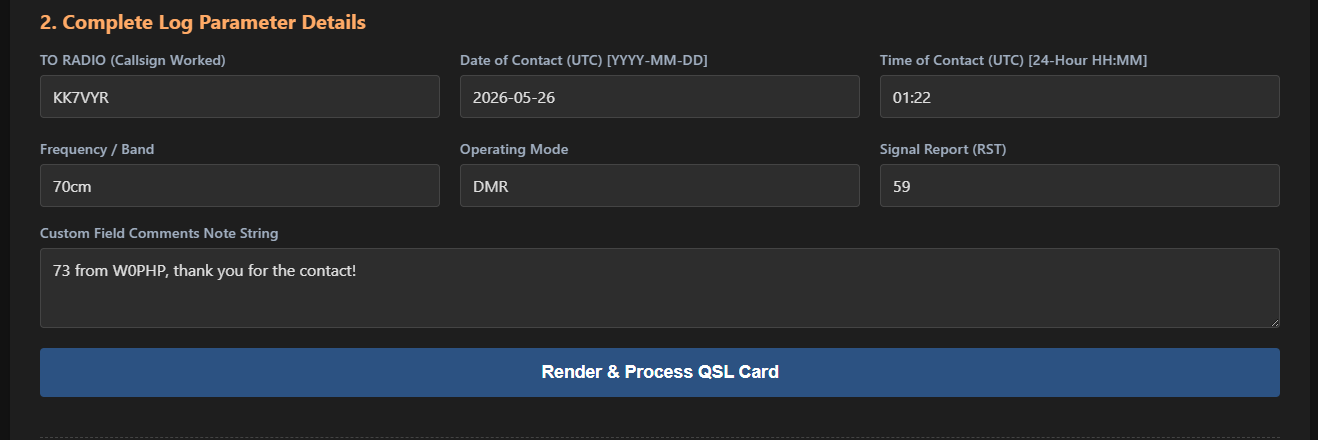
Fast & Frictionless Log Execution
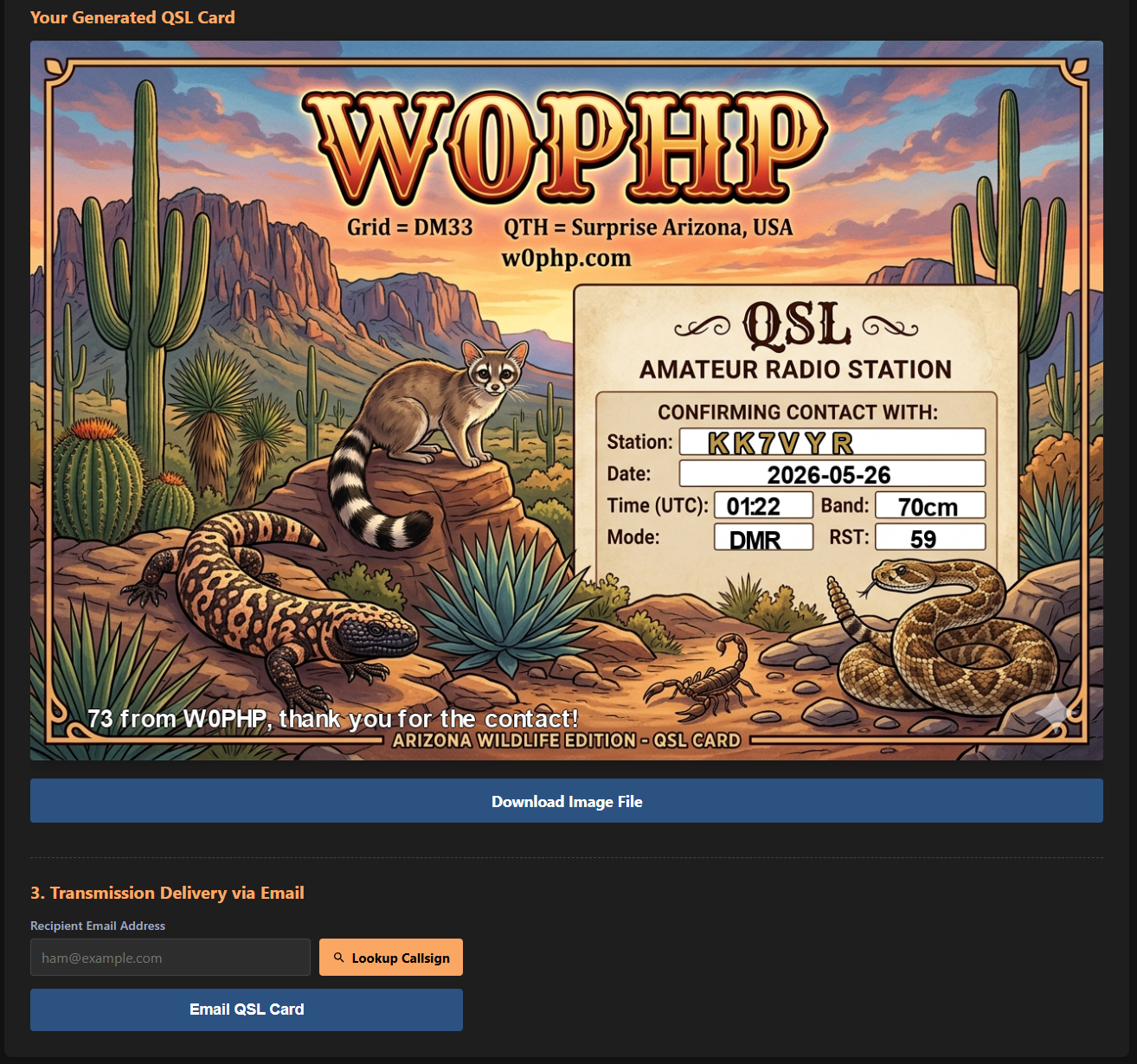
The core generation interface is engineered to optimize user workflow. Operators select their active graphic baseline, process structural details with smart contextual frequency defaults, trigger the dynamic QRZ API call verification lookup, and fire confirmation cards in rapid sequence.
API Mailing Delivery Engine
Ditch clumsy legacy manual download requirements and repetitive external mail system assembly steps. This framework builds out direct integrations utilizing secure server delivery hooks to distribute complete rendered graphical output sets cleanly straight into the recipient mailbox.
Deployment & Installation
The W0PHP QSL Tool is built to be deployed quickly. For Linux environments—such as a Raspberry Pi running AllStarLink, Ubuntu, or Debian—the automated installation script is the easiest method.
Automated Linux Installation
This single command downloads the installation package, detects your package manager (apt or yum), and automatically handles the heavy lifting. It will check for the required Apache and PHP modules, install or update them if missing, and configure the necessary read/write permissions for your web directory.
curl -sL https://w0php.com/qsl_card_generator/install.sh | sudo bash
System Requirements (Handled via Script)
If running the script above, these dependencies are installed for you. They are required for the application to process images and handle HTTP requests.
- Web Server: Apache (apache2 / httpd)
- Core Engine: PHP 7.4 or newer
- PHP Extensions:
php-gd(Image Processing),php-zip,php-curl(QRZ API lookups),php-mbstring - Utilities:
unzip,wget
Manual Deployment & Source Download
If you are running on an unsupported system, use a different web server like Nginx, or just prefer to manage your server manually, you can download the raw package.
Download System Package Archive (.zip)Manual Installation Steps
- Verify Environment: Ensure your server meets the requirements outlined in the Install section (PHP 7.4+, GD, cURL, Zip, and MBString extensions).
- Extract Files: Download the archive using the button above. Extract the contents directly into your web server's public directory (e.g.,
/var/www/html/qsl/). - Set Permissions: The application needs to write files. Ensure your web user (like
www-dataorapache) has 755 directory and 644 file permissions. Specifically, ensure thedraftsandblank_cardsdirectories are writable. - Configure PHP: You may need to edit your
php.inito increaseupload_max_filesizeandpost_max_sizeto 8M or higher if you are uploading large raw images. Restart your web server after changing these values. - Initialize the App: Open your web browser and navigate to the folder URL (e.g.,
http://your-server-ip/qsl). Log in with the default credentials (admin / qsladmin) to begin initial setup.